User Lifecycle Flow : Belajarbina.online
User Lifecycle Flow
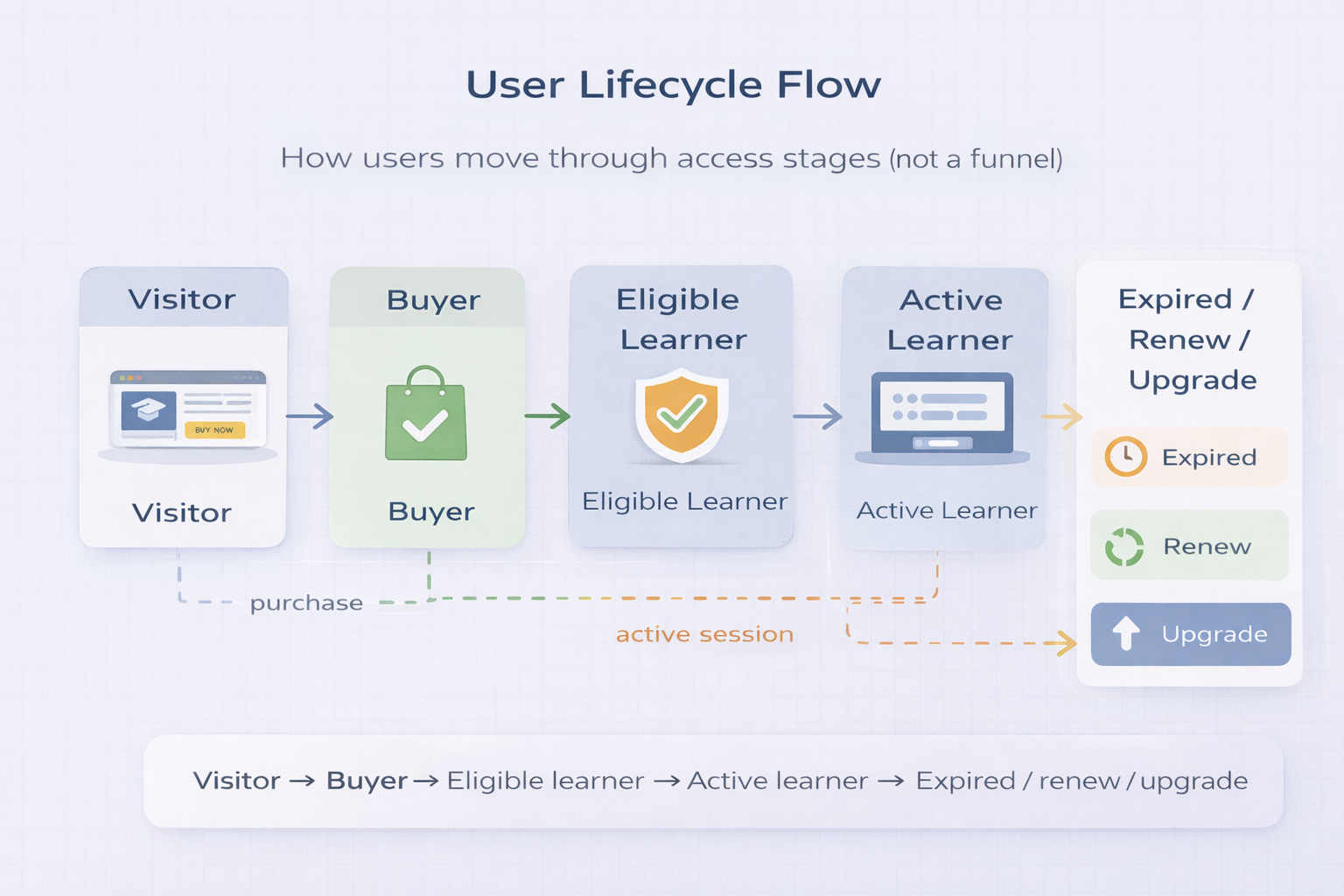
Mapped Belajarbina’s platform behavior as a lifecycle (not a funnel): users move from visitor → buyer → eligible learner, then into active learning, and eventually reach expiry / renewal / upgrade depending on their access type.
Lifecycle Goal
Make access stages clear and predictable over time (entry, active, expiry, renew/upgrade)
Key Trigger
Order Completed activates eligibility and starts the learner lifecycle
Design Priority
Reduce confusion, avoid “ghost access”, keep re-entry rules consistent
1) Lifecycle Risks Identified
Common lifecycle failure points when access rules aren’t explicit across time.
- Users may assume access is permanent if expiry rules aren’t obvious
- Expired users can become “support-heavy” if re-entry is unclear (renewal confusion)
- Tier upgrades can cause inconsistent access states if lifecycle states aren’t defined
- Without clear stages, admin work increases due to manual verification and exceptions
2) Lifecycle Design
Defined lifecycle stages so the system behaves consistently across months and access types.
Entry → Buyer
- User arrives as a visitor and purchases an entry pass
- Payment confirmation email sets expectation for next steps
- Order status becomes the single source of truth
Eligibility → Active Learning
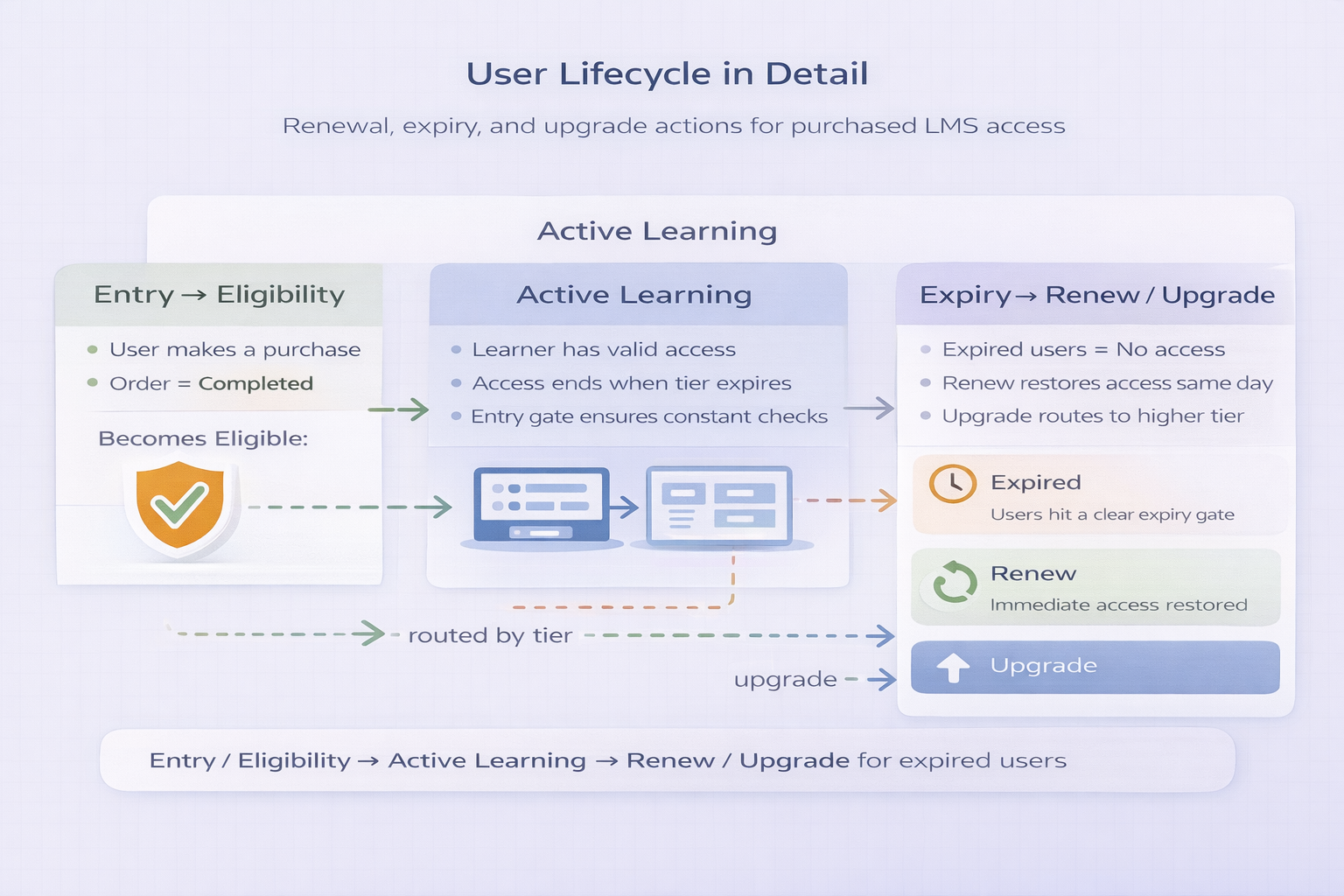
- Completed order activates eligibility
- User is routed into the correct learning environment by tier
- Access experience stays consistent across sessions
Expiry → Renew / Upgrade
- Access can expire based on the purchased access type
- Renewal restores eligibility without “special handling”
- Upgrade routes user into the higher-tier environment
3) Lifecycle Walkthrough
How the platform behaves as the user’s status changes over time.
Outcome (Qualitative)
The outcome is clarity: fewer user questions and fewer access exceptions.
- Clear expectations: users understand whether access is active, expired, or requires renewal
- Predictable re-entry: renewals restore access without manual admin overrides
- Reduced support load: fewer “why can’t I access?” issues caused by unclear lifecycle stages
Resulting system behavior
A lifecycle-driven access model that keeps behavior consistent over time — users always know where they stand.